


Additional submission form fields
Configuring additional fields for the submission form
The EasyChair platform has a range of options to create and edit additional fields per the requirements of their conference. Chairs are able to add multiple choice fields, checkboxes, text fields and paragraph text fields.
To add these additional fields to the submission form chairs should do the following:
(1) Access the configuration page by selecting menu tabs Administration -> Configure;
(2) use the option "Additional fields in the submission form".

Editing additional submission form field
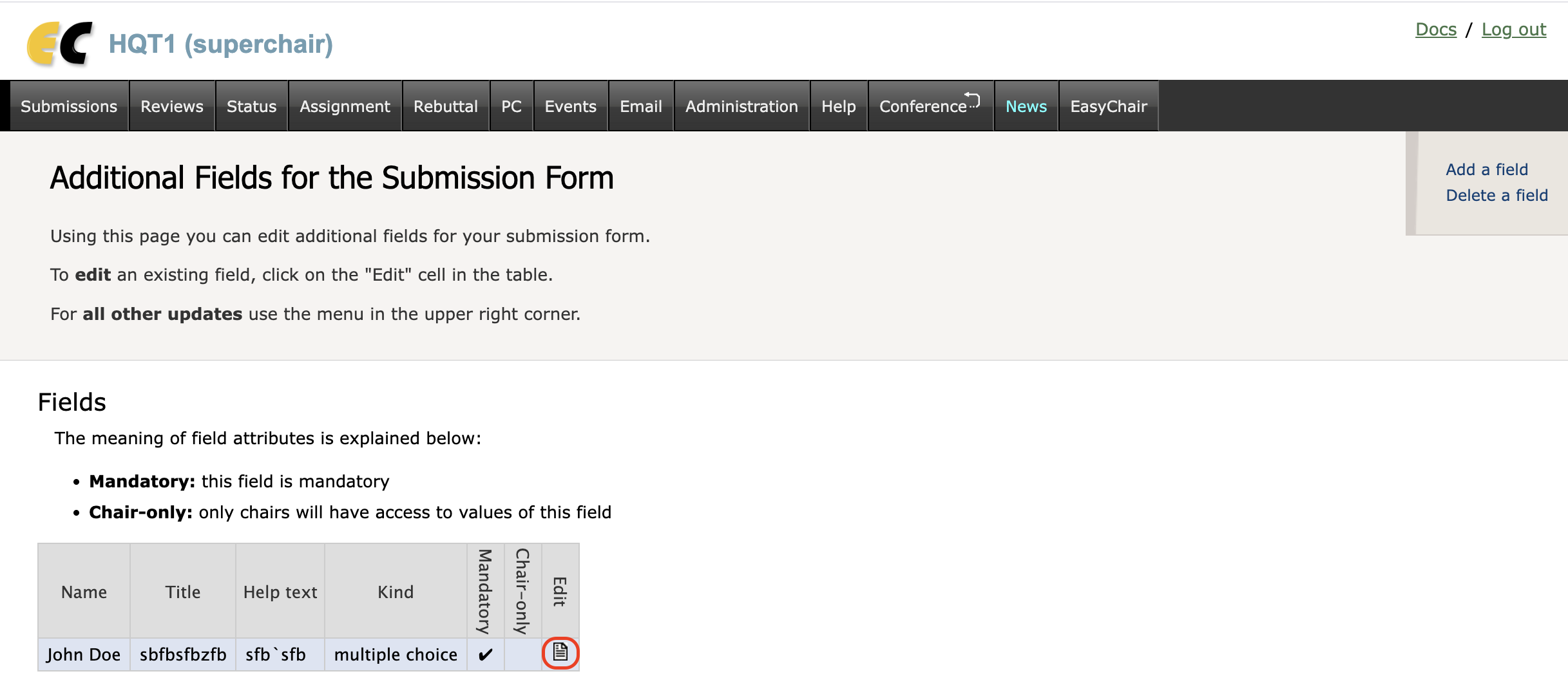
Chairs can update a submission form field as follows:
- Access the configuration page by selecting menu tabs "Administration" -> "Configure";
- use the option "Additional fields in the submission form";
- click on the "Edit" icon against the field
Chairs can also delete submission form fields as follows:
1 Use the option "Additional fields in the submission form"
2. Click on "Delete a field" in the context menu
3. Follow the instructions on the page
If there are submissions using this field, chairs will be unable to access the field values for these submissions after the deletion.
In a multi-track version, only superchairs can delete fields.